Delay (Deprecated)
Delays, debounces, or throttles the input stream.
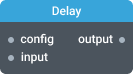
In-ports
config JSON - The configuration object that sets or overrides the component’s properties.
input <any> - The input stream.
Out-ports
output <any> - The resulting stream with a chosen type of delay applied.
Overview
This component controls timing and frequency of events in the output stream using the delay, debounce, or throttle operator. You can shift all events in the stream by setting a delay interval, or emit events selectively by setting a debounce interval or a throttle window.
Settings
Type
The type of the operator. Select one of the following: delay, debounce, or throttle.
Delay
Events in the output stream are emitted after a delay interval.
input:   ----1----2----3-------->
output:  -------1----2----3----->
Delay Interval (ms)
The delay interval duration in milliseconds.
Debounce
An event is emitted only after a debounce interval of no events.
input:   --1--2--3--------4--5----6---------->
output:  --------------3----------------6---->
Debounce Interval (ms)
The debounce interval duration in milliseconds.
Immediate
Turn on to emit an event on the leading edge of the debounce interval. By default an event is emitted on the trailing edge of the debounce interval.
Throttle
The first event in the stream is emitted as soon as it comes. The next event is emitted after a throttle window period elapses. Only the last arrived event will be emitted after the throttle window. All other intermediate events are dropped.
input:   ---1---2---3---4---5---6---7---8---9--->
output:  ---1------------4------------7--------->
Throttle Window (ms)
The throttle window duration in milliseconds.
Leading
Turn off to disable the leading-edge emit. The leading-edge emit is enabled by default.
Trailing
Turn off to disable the trailing-edge emit. The trailing-edge emit is enabled by default.