Convert Signals
Converts signals to data events.
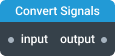
In-ports
input <any> — input stream with signals and data events.
config JSON (dynamic) — accepts a JSON object with configuration properties that can be set at runtime.
Out-ports
output <any> — emits data events converted from signals.
Overview
The Convert Signals component converts incoming signals into regular data events. This is useful when you need to trigger components with signals or process signals using data transformations.
When a signal is converted to a data event, the resulting data structure contains:
type— the signal type (e.g.,RESET,SCOPE_CHANGED,PROGRESS, etc.)data— any additional data associated with the signal (if present)code— error code forCUSTOM_ERRORsignals (if present)
By default, the component blocks all data events and converts all signals to events. You can configure settings to keep data events in the stream or block only specific signal types.
Settings
Enable realtime config port
If this setting is enabled, the component can be configured through the config port. This port accepts a configuration object as input and allows you to set dynamic properties at runtime. Note that using this port does not cause the component to reinitialize, but it may cause some previous state of the component to be lost.
Block data events (blockEvents)
When enabled, data events will be blocked. Only converted signals will pass through.
- Required: No
- Default:
true
Block signals (blockSignals)
Specify which signal types to block from conversion. Blocked signals won't pass through. Unchecked signals will pass through and be converted to data events. If nothing is selected, all signals will be converted.
Available signal types:
RESET— signals a full reset of an app, component, or group of componentsBEFORE_LOAD— signals the beginning of an async operationAFTER_LOAD— signals the end of an async operationSCOPE_CHANGED— signals a partial reset or change of data scopePROGRESS— signals the completion status of a long-running processCUSTOM_ERROR— signals an expected exceptional situationUNKNOWN_EXCEPTION— signals an unexpected exceptional situationTYPE_MISMATCH— signals a type mismatch errorALL— any signal type. Can be used as shorthand for all signal types
- Required: No
- Default:
[](no signals filtered, all signals converted)